
JAST provides a spell checker for the languages English and German. The spell checker is integrated in multi-line textfields. When you press the key F7 or open the context menu the spell checker dialog appears.
If you choose in the menu → the English spell checking will start.
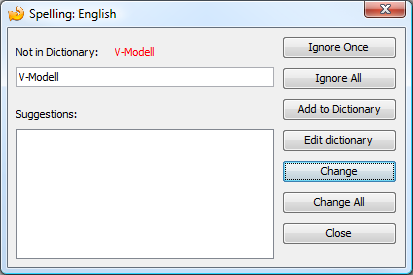
All words that are unknown to the system can be added. For each language a user defined dictionary file
will be created. This file is in the portable version stored in the subfolder config.
The user defined dictionary file is called UserDictionary_en.txt in the English version.
You can edit this file with a text editor if necessary.
